
How to disable or remove your Google Email Signature from Gmail
Step 1
Open Gmail, in the top right, click Settings
 See all settings.
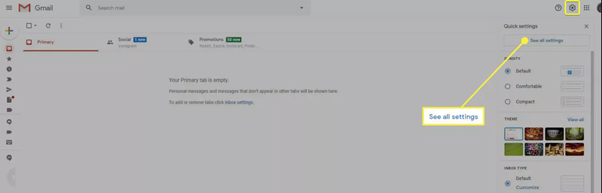
Open Gmail, in the top right, click Settings
See all settings. Step 2
Under "General," scroll to "Signature."
Under "General," scroll to "Signature."
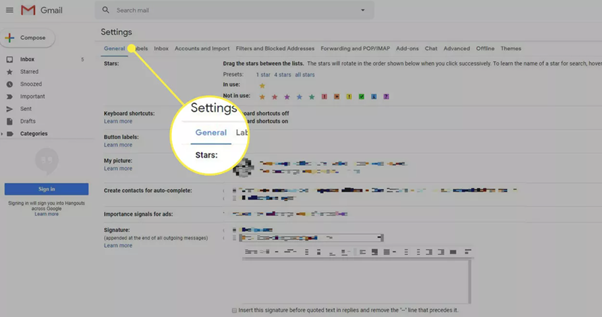
Step 3
Click the signature you want to remove and click ‘Delete’, or you can remove the signature by setting the default to ‘No Signature’ as shown below.
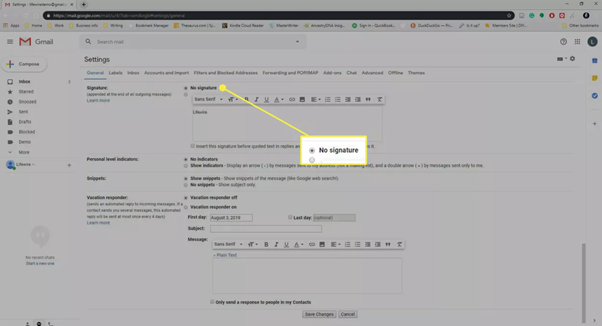
Step 4
At the bottom, click Save Changes.